
Judge.me Review App: Is It Legit, What It Costs, and How to Set It Up
An honest look at the Judge.me review app for Shopify: whether it is trustworthy, how its pricing model works, and a step-by-step setup walkthrough.

Judge.me shows up near the top of almost every "best Shopify review app" list, and it has a free plan that looks almost too generous next to competitors charging from day one. Both of those tend to produce the same two questions: is this actually legitimate, and what is the catch.
Short answers: yes, and the catch is branding plus a handful of features behind the paid plan. The longer answer is below, along with a setup walkthrough and the part most merchants skip after installing.
Is Judge.me Legit?
Yes, and this is not a close call.
Judge.me has been on the Shopify App Store for close to a decade. It carries Shopify's Built for Shopify badge — the highest quality designation Shopify awards an app, covering performance, app design and merchant support — and won a 2025 Shopify Build Award for innovation and impact. Its App Store rating is 5.0 from 49,138 merchant reviews (checked October 2026), which puts it at the top of the review-app category by a wide margin.
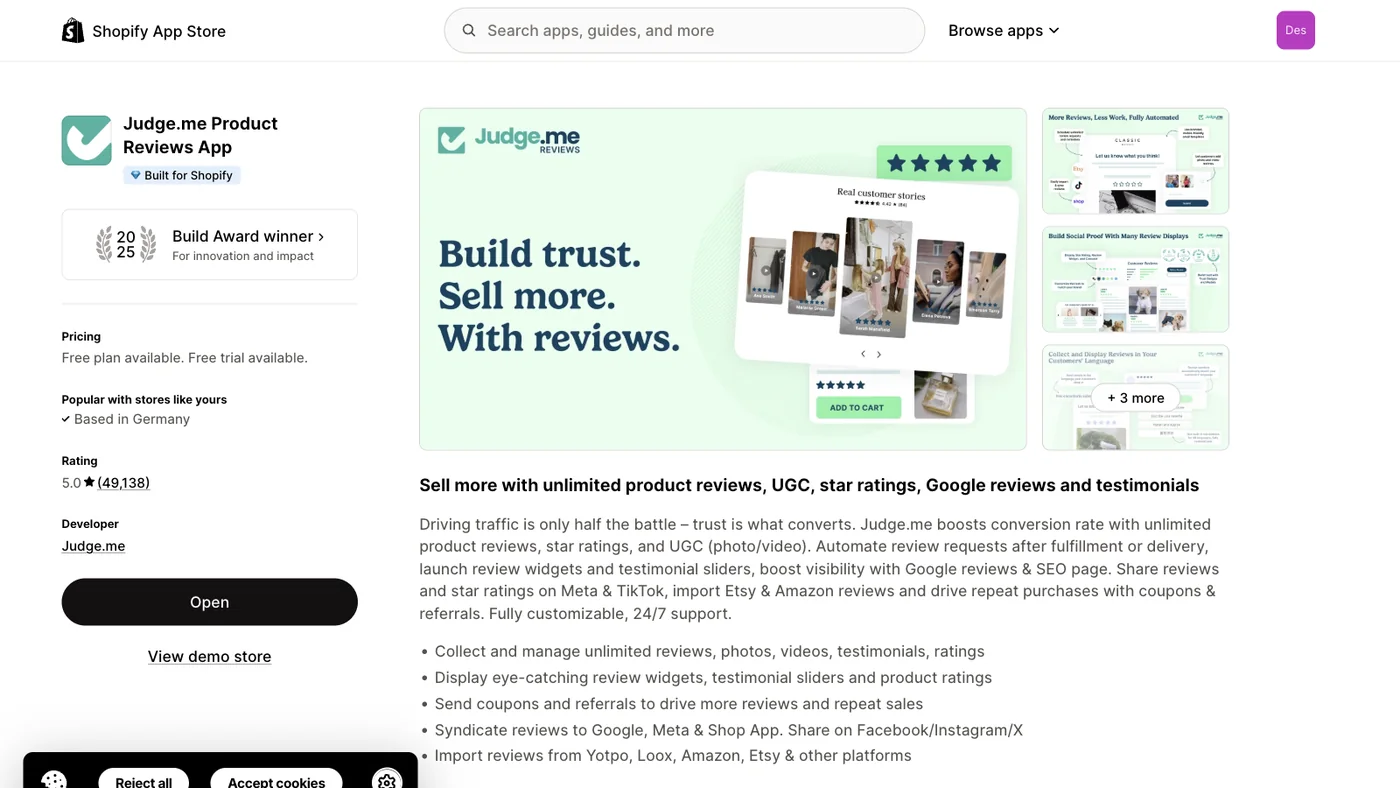
None of that makes it the right app for you, but it does settle the trust question. This is mainstream infrastructure, not a risky bet.
The reason the question gets asked at all is the free plan. In a category where most apps charge immediately, a free tier that actually works looks suspicious. The business logic is ordinary: the free plan carries Judge.me branding on your review widget, which is marketing. Stores that grow then upgrade to remove it and unlock the rest. It is the same model a lot of infrastructure software runs on.
How the Pricing Works
The structural point matters more than the numbers, because the numbers change.
Judge.me charges on a flat, feature-based model. You pick a plan and your bill does not move when your order volume does. This is the opposite of several competitors — Loox in particular — which price against monthly order volume and therefore get more expensive as you succeed.
In practice that means an order-based competitor can be cheaper at low volume, while flat pricing wins — often by a lot — once you are growing. We worked that trade-off through properly in Loox vs Judge.me.
What is in the free plan versus the paid plan has shifted over time, and published comparisons contradict each other on specifics. Check the current terms on the Judge.me listing in the Shopify App Store rather than trusting a number in a blog post, including this one. The one consistent part is that the free plan gives you working review collection and display, carrying Judge.me branding.
Setting It Up: A Walkthrough
Installation takes a few minutes. Getting it to actually produce reviews takes a bit of thought at two specific steps. Judge.me moves its interface around periodically, so treat the labels below as approximate and the sequence as the thing that matters.
Step 1 — Install and connect
Install Judge.me from the Shopify App Store and authorize it. It connects to your store's order and product data, which is what lets it match reviews to real purchases and send request emails automatically.
Step 2 — Import existing reviews, if you have any
If you are switching from another review app, do this before anything else. Export a CSV from your old app and import it into Judge.me. Check that star ratings, dates, photos and verified-purchase flags survived — this is where migrations typically lose fidelity, and it is much easier to fix before new reviews start arriving.
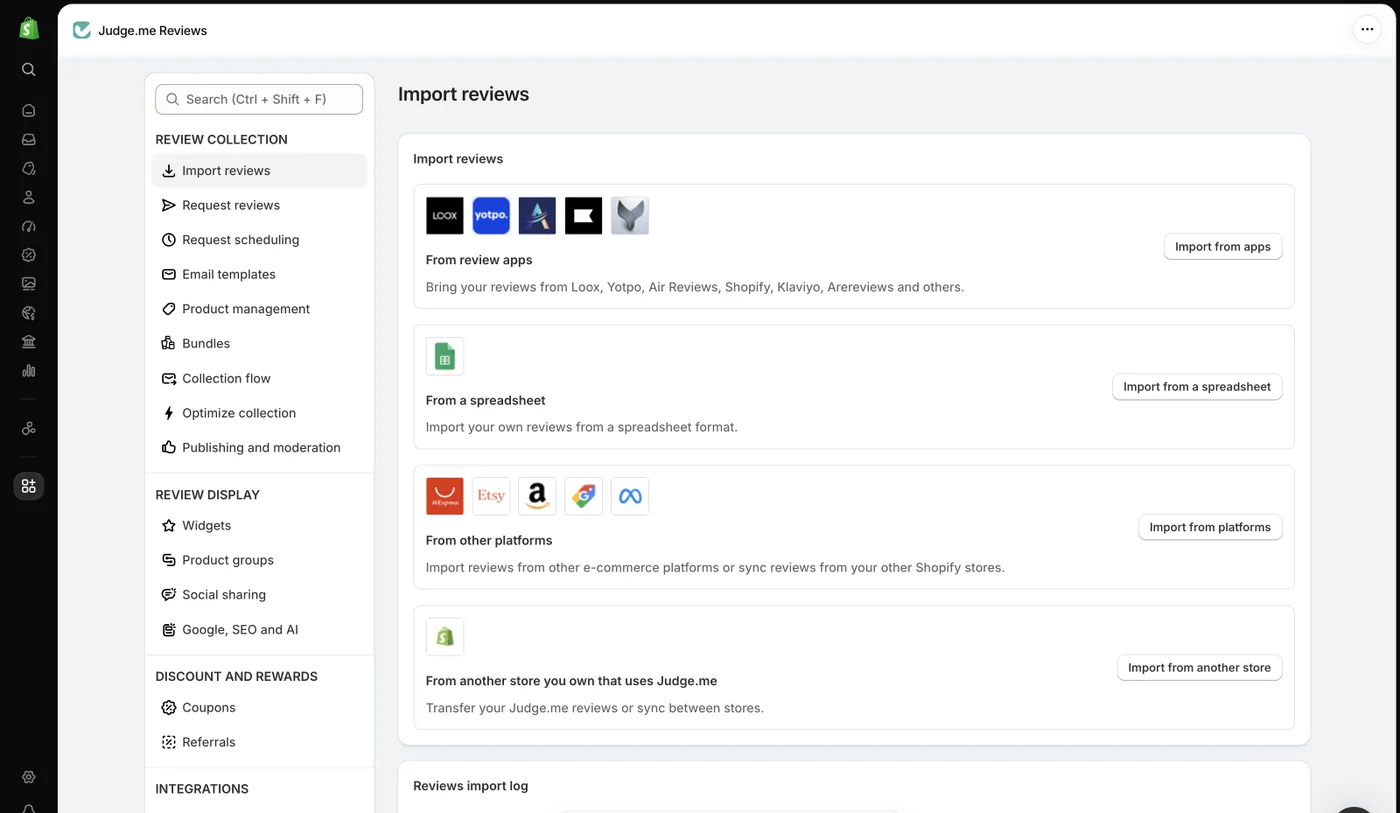
Only import reviews that are genuinely yours. Importing reviews from a product you do not sell, or fabricating them, breaches Shopify's terms and consumer-protection law in most markets.
Step 3 — Place the widgets
Judge.me provides several display blocks: the main review widget for the product page, a star-rating preview that sits under the product title, a carousel for the homepage, and a floating tab.
On Online Store 2.0 themes you add these through the theme editor as app blocks, which is the clean path. On older themes you may need to paste snippets into theme files. Two placements do most of the work: the review widget directly below the product description, and the star preview near the title, since that is what shoppers scan before deciding to read anything.
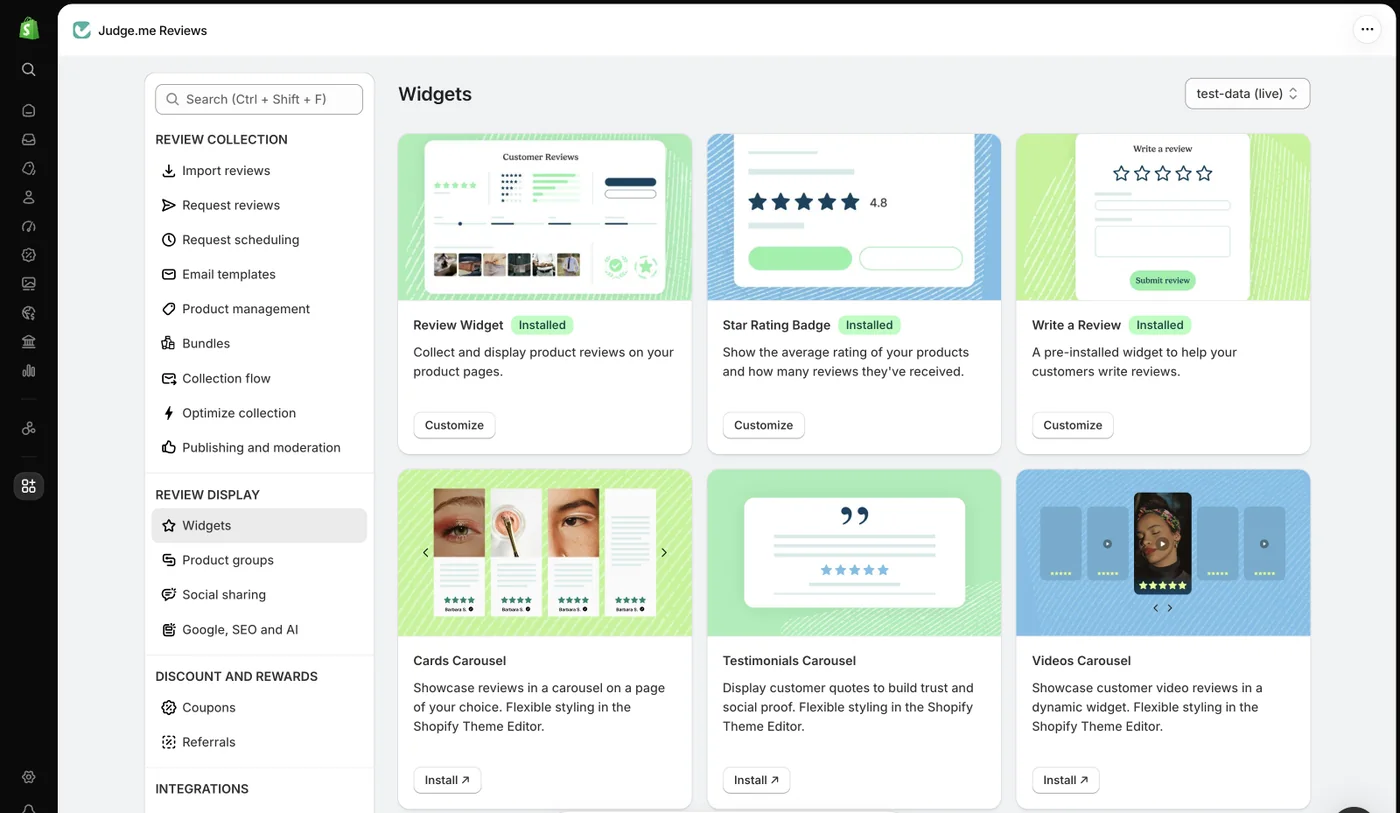
Do not install every available widget. Each adds requests, and the floating tab in particular is a distraction on mobile.
Step 4 — Configure the review request email — this is the important one
This single setting determines how many reviews you get. Everything else is presentation.
The default sends a request a fixed number of days after fulfillment. The default is almost certainly wrong for your product, because the right delay is "long enough that the customer has formed a real opinion".
- A consumable the customer uses immediately: a few days.
- Apparel: after they have worn it once or twice.
- A supplement or skincare product where the benefit takes weeks: a few weeks, or you will collect reviews about the packaging.
- Furniture or anything needing assembly: after they have lived with it.
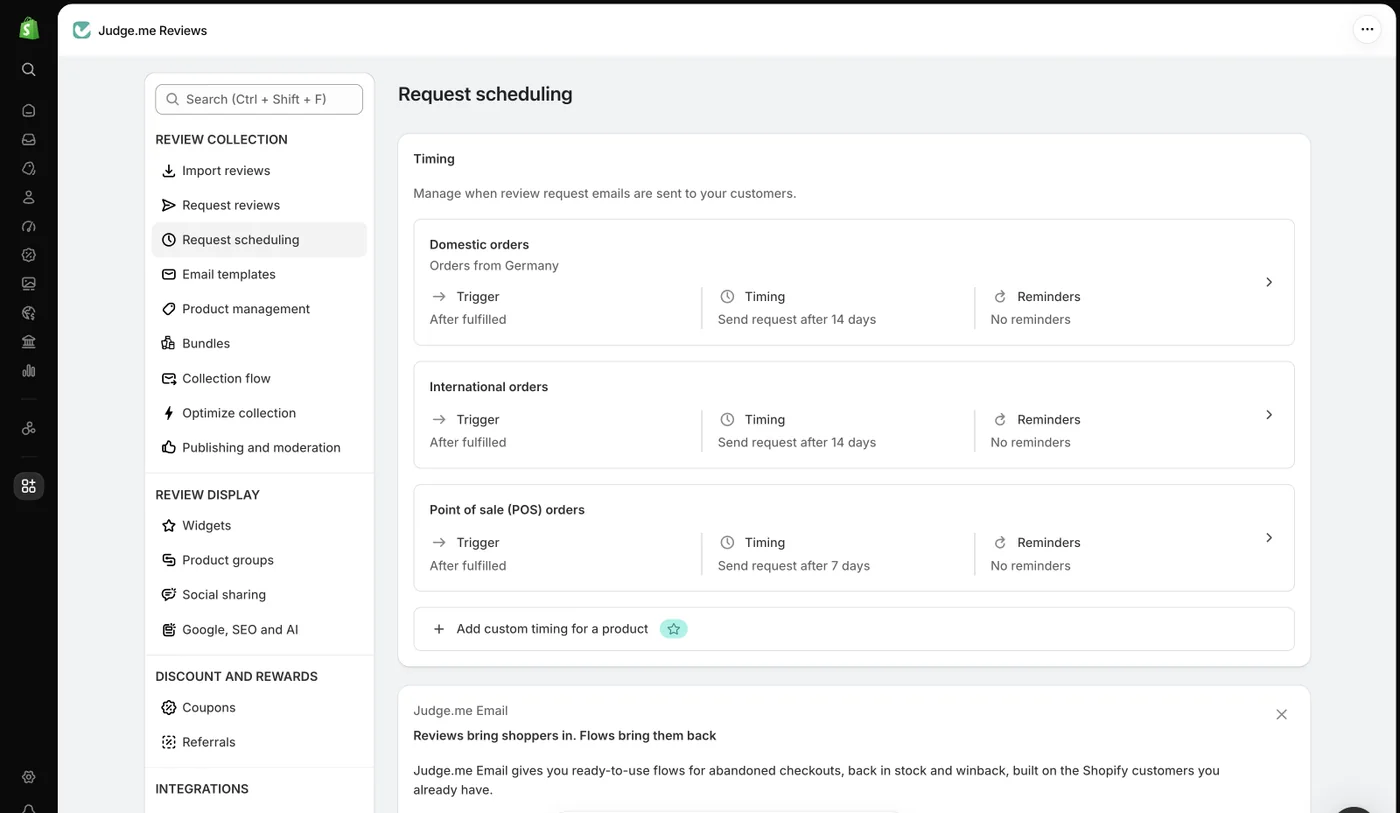
Note that Judge.me splits this by order type — domestic, international and point of sale each get their own delay, and you can override the timing per product. The defaults above (14 / 14 / 7 days) are a starting point, not an answer.
Ask for a photo in the request if photos matter for your product, keep the form short, and enable the single follow-up to non-responders. Each of those measurably raises submission rates.
Step 5 — Turn on structured data and check it
Judge.me emits Product and AggregateRating structured data so your star ratings can appear in Google results. This affects click-through rate meaningfully.
Verify it rather than assuming it. Run a product URL through Google's Rich Results Test after setup. Theme conflicts are common, and a theme that already emits its own Product schema can produce duplicate or conflicting blocks — which usually costs you the rich result entirely.
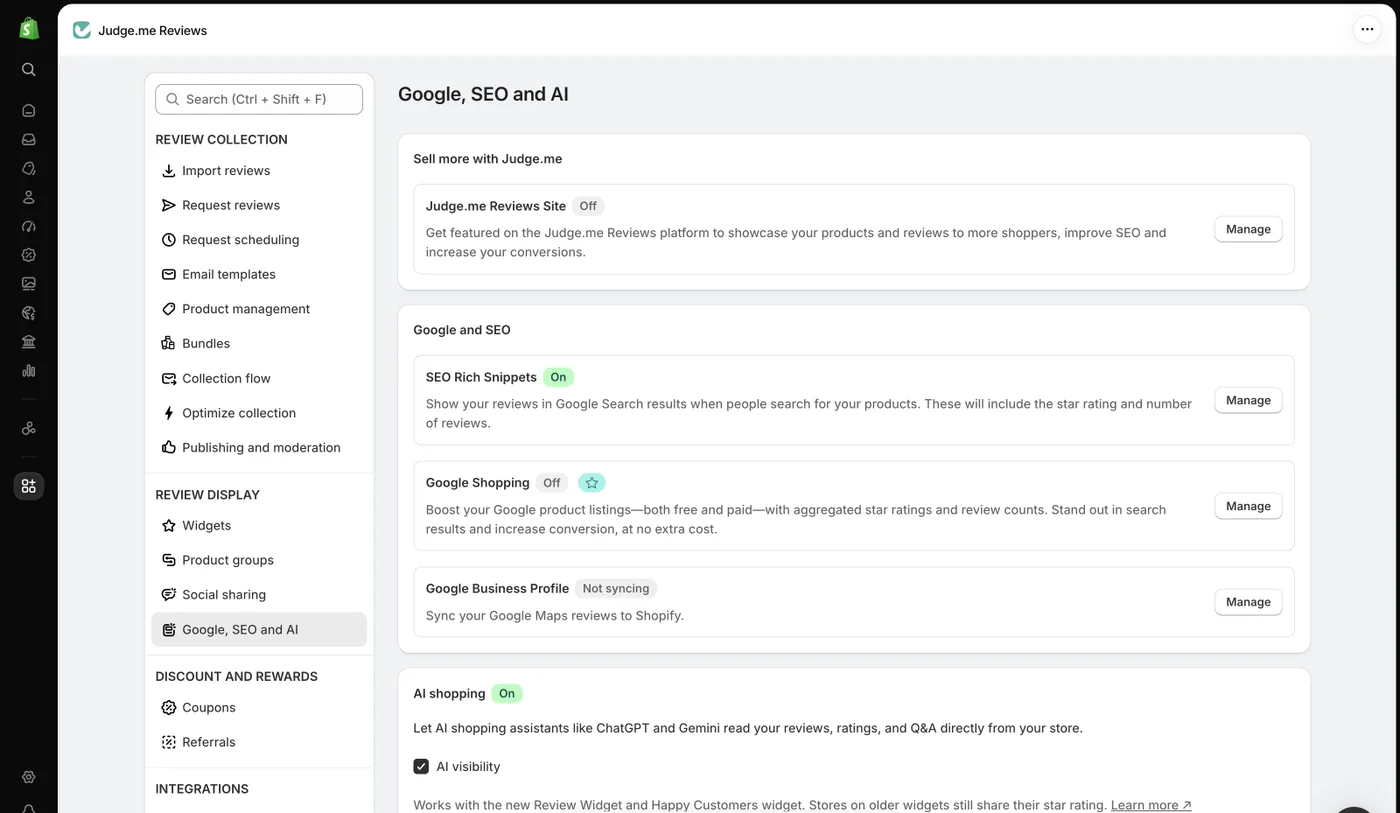
The same screen carries an AI shopping toggle that lets assistants like ChatGPT and Gemini read your reviews, ratings and Q&A directly from your store. If you care at all about being cited by AI shopping assistants, leave it on — it costs nothing and it is off by default on older widgets.
Step 6 — Decide about Google Shopping reviews
If you run Google Shopping, Judge.me can feed your reviews into the Google Customer Reviews programme so ratings appear on your Shopping listings. It takes a little setup and is easy to forget. If Shopping is a real channel for you, do it during setup rather than six months later.
The Step Almost Everyone Skips
Here is where most merchants stop: widgets are live, requests are going out, reviews are coming in, stars are showing. Job done.
Except the reviews are now doing exactly one job — reassuring shoppers who already made it to your product page and scrolled down. That is worth something. It is also a fraction of what the data is worth.
Read fifty reviews of one of your products with a notepad and you will find things your product description does not say:
- A benefit buyers keep mentioning that you never thought to advertise
- An objection that recurs in every three-star review and is never addressed in your copy
- A use case you did not design for and are not marketing to
- The specific words buyers use, which are usually not the words in your description
That is a brief for rewriting the description, written by the people who actually bought the thing. And it sits unused, a few hundred pixels below a description that was written before any of them existed.
Closing That Loop
You can do this by hand, and you should try it once. Export reviews for one product, sort by rating, tag recurring themes, count them, and rewrite the description around the top themes using the buyer's vocabulary. It takes about an hour per product and it works — we wrote up the full manual process step by step.
The limitation is obvious: an hour per product is fine for five and impossible for five hundred, and reviews keep arriving, so it is not a one-time job either. That is the gap Descripio fills — it reads your reviews through a native Judge.me integration and drafts the description for you to edit and publish.
Final Thoughts
Judge.me is a solid, legitimate choice, and the free plan makes it an easy one to start with. Install it, spend your configuration effort on the review request timing, verify the structured data, and you have the collection side handled.
Then treat the reviews as more than a trust badge. The collection is the easy half. The half that moves revenue is going back to your product descriptions and rewriting them with what your customers have been telling you all along.
Frequently Asked Questions
Is Judge.me legit?
Yes. Judge.me is an established Shopify app that carries Shopify's Built for Shopify badge, won a 2025 Shopify Build Award, and holds a 5.0 App Store rating from over 49,000 merchant reviews as of October 2026. It is a mainstream, widely used product rather than a questionable one.
Is Judge.me really free?
Judge.me offers a genuinely free plan that functions as a working review app rather than a time-limited trial, which is unusual in this category. The free plan carries Judge.me branding on the widget and leaves some features to the paid plan. Confirm the current plan contents on the Shopify App Store listing, since pricing changes.
Can Judge.me reviews be faked or manipulated?
Judge.me supports verified-purchase badges that mark reviews tied to an actual order, and it lets merchants import reviews, which is a legitimate migration feature. Importing reviews that are not yours, or writing fake ones, violates both Shopify's terms and consumer-protection law in most markets. The badge is what gives reviews their credibility — do not undermine it.
Does Judge.me slow down my Shopify store?
Any review widget adds JavaScript and makes requests, so there is some cost. Judge.me loads its widget asynchronously, which limits the impact on initial render. Measure your own store with PageSpeed Insights before and after installing rather than trusting any general claim, since theme quality affects this more than the app does.
How do I get more reviews with Judge.me?
The largest single lever is the timing of the automated review request email. Send it after the customer has had the product long enough to form an opinion, which varies by product. Beyond that, asking for a photo in the request, keeping the form short, and following up once to non-responders all measurably raise submission rates.
What happens to my reviews if I uninstall Judge.me?
Export your reviews to CSV before uninstalling. Reviews live in Judge.me's system rather than in your Shopify product data, so the widget and its content disappear from your storefront when the app is removed. With a CSV export in hand you can import them into another review app.
Back to Blog