Amazon Product Description Template: Structure, Examples and Conversion Tips
Use this Amazon product description template: a five-part structure, a full example, and conversion tips for plain text and A+ Content.
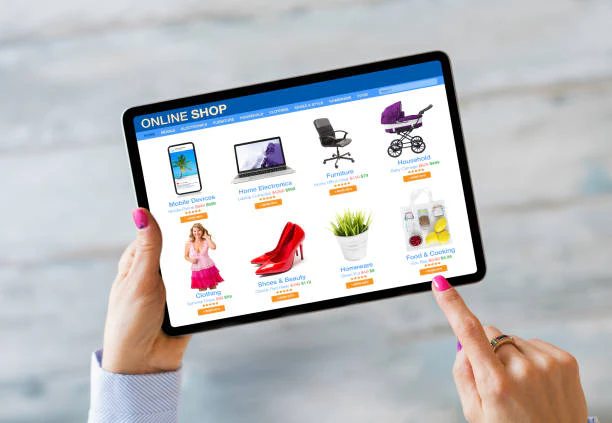
The product description is one of the most underused sections of an Amazon listing. Bullets get most of the copywriting attention because they're the first thing shoppers see, but the description whether it's plain text or A+ Content is where you get room to actually connect with a customer's problem, answer lingering objections, and reinforce why your product is the right choice before they hit "Add to Cart."
This guide gives you a reusable Amazon product description template, along with real structural examples and the reasoning behind each section, so you're not starting from a blank page every time you write a new listing.
Why the Description Still Matters
Some sellers assume the description barely gets read, since A+ Content (visual modules) has replaced plain text for many brand-registered sellers. But three things are still true:
-
Amazon still indexes description text for search relevance on standard (non-A+) descriptions, and A+ Content modules still carry alt-text and surrounding copy that matters for accessibility and clarity.
-
Shoppers who reach the description are your most qualified traffic. They've already looked past the title, images, and bullets they're seeking reassurance, not a first impression. This is where persuasive, customer-focused Amazon copy does its heaviest lifting.
-
It's where objections get resolved. Bullets are built for scanning; the description is the one place in the listing where a shopper will actually read a few connected sentences, which makes it the natural home for anything that needs more than a fragment to explain.
The Product Description Template
Use this five-part structure as your starting skeleton. Each section maps to a specific stage of the customer's decision-making process.
1. Hook: Name the Problem
Open with a sentence that mirrors the exact frustration or need your customer has — in their language, not yours. This is where reviewing actual customer language (from reviews, Q&A, or customer service tickets) pays off directly. A hook that sounds like it was written by the brand, rather than the customer, tends to get skimmed past.
Example: "Tired of protein bars that taste like chalk and leave you hungry an hour later?"
2. Bridge: Introduce the Product as the Solution
One or two sentences connecting the problem directly to what the product does. Avoid generic claims be specific about the mechanism, not just the outcome. "Our bars are better" is forgettable; explaining why they're better is what earns the click toward "Add to Cart."
Example: "Our bars pack 20g of whey isolate and 8g of fiber into a soft-baked texture that actually tastes like a snack, not a supplement."
3. Features Translated Into Benefits
List 3–5 features, but write each one as "feature → benefit," not just a spec dump. This is the core of persuasive Amazon copywriting: nobody buys a feature, they buy what the feature does for them. A useful habit here is to literally write the feature, then ask "so what?" until the answer is something the customer actually cares about.
Example: "Slow-release oats keep you full for hours, not minutes — no more 3pm vending machine trips."
4. Objection Handling / Proof
Address the 1–2 most common hesitations directly shipping concerns, ingredient questions, sizing, compatibility, or "does this actually work" skepticism. Where possible, back it up with a specific, verifiable detail (certification, testing standard, guarantee) rather than a vague claim. This section is often the difference between a shopper who adds to cart and one who clicks away to compare a competitor instead.
5. Close: Use Case and Call-to-Action
End by painting a quick picture of the product in the customer's life, plus a light, natural nudge toward purchase. Avoid anything that reads as aggressive or salesy Amazon shoppers respond better to a description that helps them picture ownership than one that pressures them toward it.
Example: "Toss one in your gym bag, your desk drawer, or your kid's lunchbox — an easy, better-for-you snack that's ready whenever you are."
Full Example Using the Template
Product: Reusable Silicone Food Storage Bags
Still buying plastic bags every week that end up in a landfill? Our silicone storage bags replace hundreds of single-use bags with one set that actually lasts. Made from food-grade silicone, they're freezer, microwave, and dishwasher safe so you're not juggling three different containers for three different jobs. The airtight seal keeps produce fresh up to twice as long as standard bags, and the stand-up base means no more awkward balancing in the fridge. Worried about smells or stains lingering? The non-porous silicone doesn't absorb odors the way plastic does, even after hundreds of washes. Whether you're meal-prepping for the week, packing school lunches, or freezing soup in batches, these bags handle it and cut down on plastic waste every time you reach for one instead of a disposable bag.
Notice how this short example still hits all five structural beats without reading like a checklist that's the goal. A description that mechanically works through a template but doesn't read naturally will undercut the persuasive effect you're going for.
Conversion Tips Beyond the Template
-
Keep paragraphs short. Amazon's description field renders as dense text blocks on mobile; 2–3 sentence paragraphs are far easier to scan.
-
Repeat your primary keyword naturally once or twice, but prioritize readability this section should never read like it was written for a crawler.
-
Match tone to category. A supplement brand and a home-goods brand should not sound the same, even using this same structural template.
-
Use description content to cover what bullets couldn't. If your five bullets are already keyword- and benefit-dense, use the description for storytelling and objection handling instead of repeating the same points.
-
Update seasonally or per promotion if relevant a description written for a winter launch may need adjusting language for a summer relaunch.
-
Write for the specific customer segment, not "everyone." A description trying to appeal to every possible buyer usually ends up persuading none of them. It's better to write clearly for your core customer and accept that it won't be everything to everybody.
A+ Content vs. Plain-Text Description
For brand-registered sellers, A+ Content typically replaces the plain-text description entirely. The same five-part structure still applies it just gets distributed across visual modules instead of paragraphs. A few adjustments worth making:
-
Hook and bridge often work well as a headline-and-subhead module near the top.
-
Feature-to-benefit content maps naturally to comparison charts or icon-based feature modules.
-
Objection handling fits well in an FAQ-style module or a certifications/testing module, if your category supports it.
-
The close is often best placed as a lifestyle image module near the bottom, showing the product in actual use.
Even with A+ Content live, it's worth keeping a well-written plain-text description in the backend fields where possible it still contributes to search indexing in ways A+ image modules don't.
Final Thought
A strong Amazon product description doesn't need to be clever it needs to be structured around how a real customer thinks: problem, solution, proof, and next step. Use this template as your starting framework, then adapt the tone and specific language to match your product and audience.
Frequently Asked Questions
How long should an Amazon product description be?
There's no strict minimum, but most effective descriptions run 150–300 words for plain text, giving enough room to work through the problem–solution–proof structure without becoming a wall of text. A+ Content descriptions are typically shorter per module since the content is broken across visual sections.
Does the product description affect Amazon SEO ranking?
For standard (non-A+) listings, yes — the description field is indexed for search relevance, so relevant keywords used naturally can support ranking. A+ Content is generally not indexed the same way, since much of it lives in image modules rather than searchable text, which is why keeping a strong backend description is still worth doing.
Should I write the same description for every product in a line?
No. Even within the same product line, each SKU should have language specific to its variant, use case, or standout feature. A description that could apply to any product in the line typically signals to shoppers (and to Amazon's relevance signals) that it wasn't written with that specific product in mind.
Can I include customer testimonials in the description?
Amazon's policies restrict certain types of claims and quoted reviews in listing content, so it's best to reflect the sentiment and themes from reviews in your own words rather than quoting customers directly. Check current category and content policies before including anything that resembles a testimonial.
What's the biggest mistake sellers make when writing descriptions?
Repeating the bullets almost word-for-word. The description should extend the pitch — covering objections, use cases, or story the bullets didn't have room for — rather than restating the same three or four points in paragraph form.
Should the description match the tone of my brand's website?
Generally yes, but adapted. Amazon shoppers are in a more transactional mindset than website visitors, so while the core brand voice should carry through, Amazon descriptions usually benefit from being more direct and benefit-focused than a brand's typical website copy.
Back to Blog